
Designing for complexity at scale.
Turning raw data center telemetry into reusable, configurable interfaces.
- Company / Team
- Amazon / InfraMap
- Role
- Front End Engineer II
- Discipline
- Design Engineering · UI Architecture · Configuration Tooling
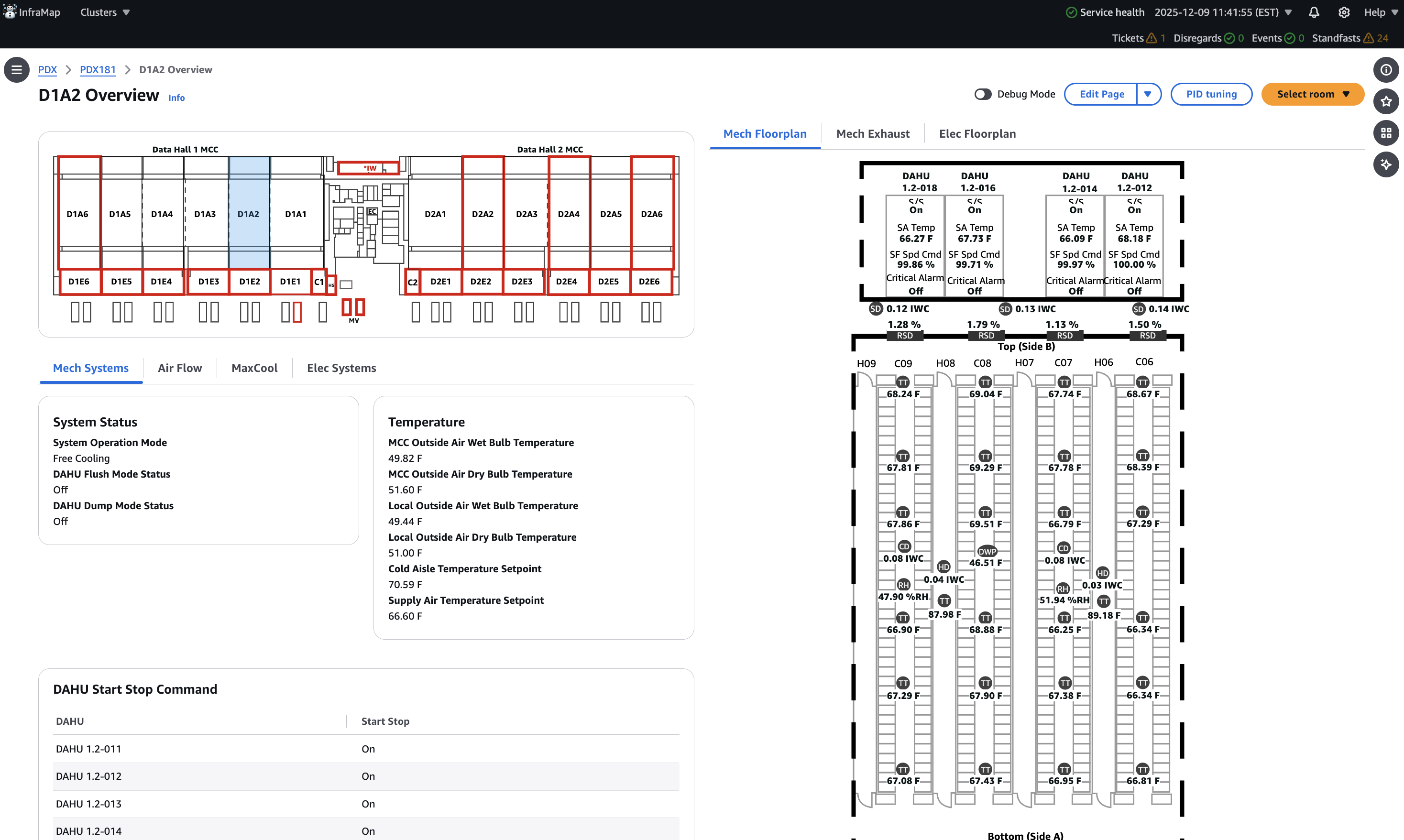
MetricOrganizer is a configuration-driven UI framework for monitoring data centers. Operators drill down from a site to rooms, devices, and equipment, and each level shows the metrics that matter there.
what I owned
- Co-identified the scalability problem
- Developed the original MetricOrganizer framework (V1)
- Authored the V1 and V2 technical design documents
- Defined configuration schemas and modular querying abstractions
- Defined shared GraphQL structures for cloud and local
- Planned the V1 → V2 migration and conversion approach
- Designed the configuration editor and its interaction model
- Led work across GraphQL definitions, the editor, and configuration verification
- Coordinated implementation with other engineers and interns
what we did together
- Problem identification, with a coworker
- Operator interviews, with a creative technologist
- Equipment page categorization and layouts, led by the creative technologist
- Design and architecture reviews with senior engineers
- Implementation across several areas by engineers and interns
We had the data. We didn’t have a way to make sense of it.
Our application contained inventories of metrics associated with controllers and devices. But those inventories were essentially flat lists, with little information about how individual metrics should be grouped, formatted, or presented.
At the same time, we were developing a new monitoring experience that let operators navigate from a data center down to individual pieces of equipment. Building every equipment page independently would create recurring work for our team as new facilities came online.
A coworker and I identified the need for a reusable approach and proposed a framework for generating these interfaces from configurations.
Understanding what operators actually needed to see.
I worked with a creative technologist to interview data center operators and understand their monitoring workflows. Our team used equipment inventories and object hierarchies to identify the information required for different equipment types.
The creative technologist categorized and designed the equipment page layouts. I joined design reviews to make sure the proposed interactions and requirements were supported by the framework. Together, these efforts informed more than 50 equipment page types.
Operators needed to tell editable metrics from read-only values, and to know whether a point had been modified. We introduced indicators for both.
Click the pencil to edit a setpoint. Edited values pick up an edited tag. Values from the data hall overview screenshot; visual treatment reconstructed for this page.
Our first solution worked, until the requirements expanded.
I developed MetricOrganizer V1 around a configuration file that defined how equipment metrics should be displayed. The architecture was narrow in scope: metric querying was coupled to individual metric definitions, which made unfamiliar data types and fetching methods hard to support.
Each new requirement added more conditional parsing. Electrical equipment exposed this most clearly, because its metrics depended on different and sometimes unrelated variables. We also needed more flexible layouts than the flexbox system supported, and rendering ever-larger configuration files raised performance and maintainability concerns.
// V1 · representative pseudocodecard "Readings" { layout: "flex-row", metrics: [ { label: "SA Temp", id: "SAT_AVG", unit: "°F" }, { label: "Humidity", id: "SA_RH_UPR", unit: "%RH" }, ]} function renderMetric(m) { const raw = query(m.id) // fetching lives inside each metric return format(raw, m.unit)}Supporting more cases wasn’t enough. We needed to accommodate cases we hadn’t anticipated.
Separating what a metric means from where its data comes from.
I authored a second technical design document proposing a more modular framework. V2 separated data retrieval from metric presentation through dedicated query definitions, so new querying methods could be introduced without changing how widgets rendered their information.
The framework supported different widget types, including cards, tables, and diagrams containing live metrics. Each widget retrieved the data it required independently, which allowed more progressive loading.
The page is a document, not code.
A configuration declares the grid and the sections on a page. It no longer contains fetching logic, which keeps files smaller and easier to read.
{ "version": "2", "grid": { "cols": 12 }, "sections": [ { "is": "GRID", "widgets": [ … ] } ]}Separation of responsibilities
- Metric formatting and presentation
- Data source lookup and querying
- Widget layout and rendering
Extensibility
- New widget types
- New metric formats
- New querying strategies
Performance
- Smaller configurations
- Per-widget data retrieval
- Independent rendering
Maintainability
- Shared abstractions
- Less coupling
- Reusable configuration definitions
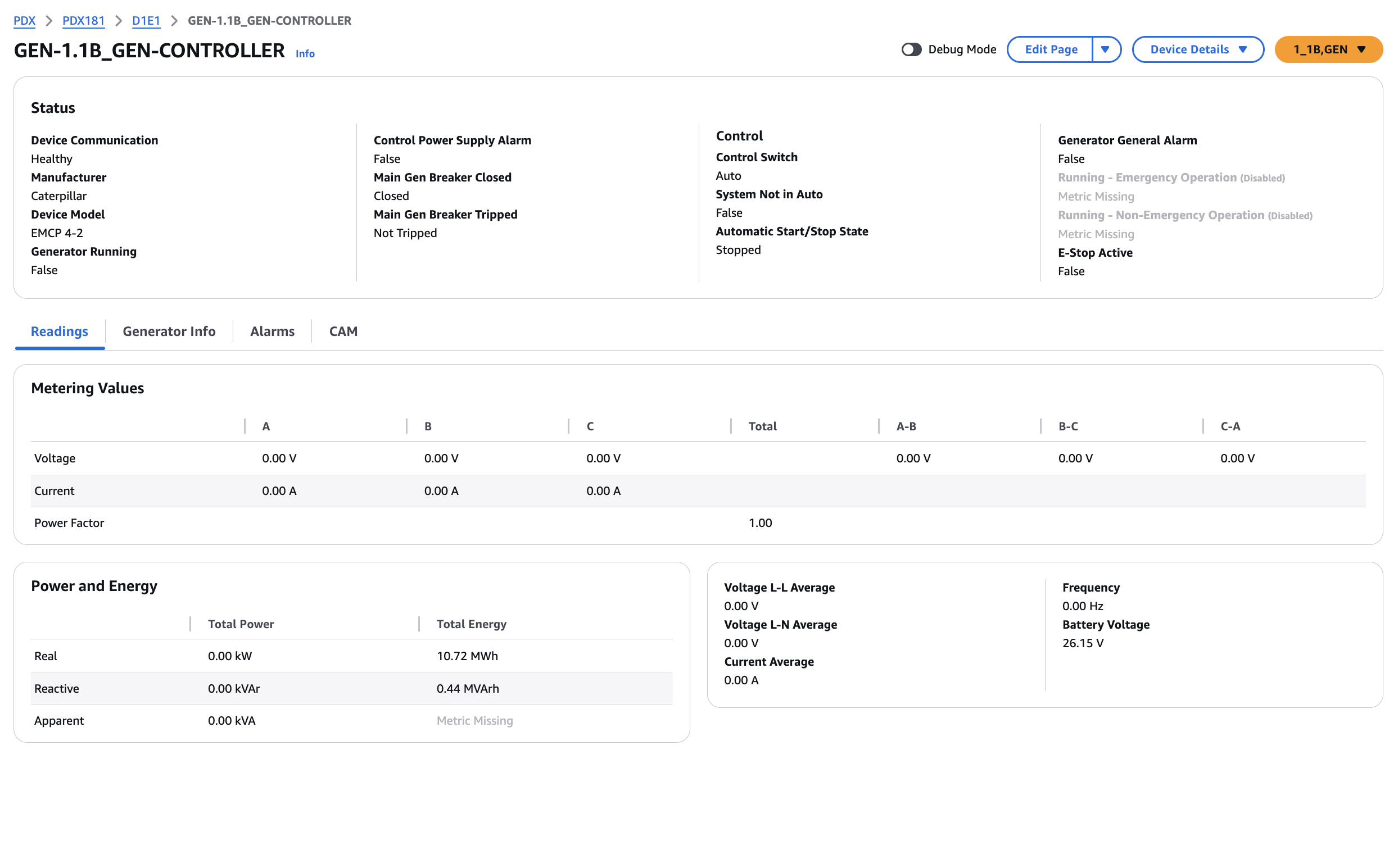
Why extensibility mattered: the same framework had to place values on a schematic.
A diagram widget anchors live points to positions on an equipment drawing. It uses the same point and query definitions as a card or table; only the rendering differs.
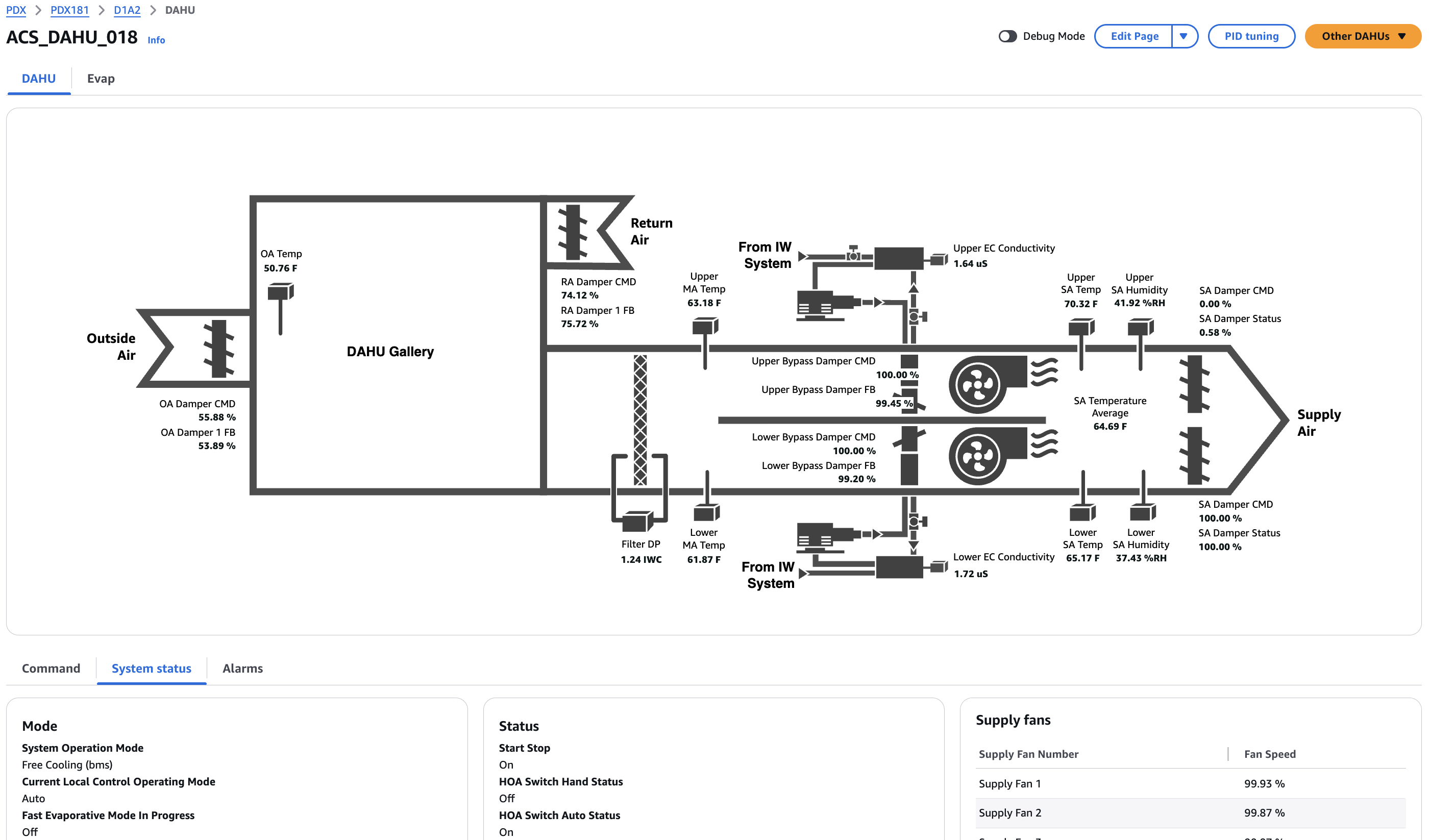
One interface system. Two different environments.
The application needed to run in the cloud and on site. The cloud application used AWS services; the local application ran on a server within the data center.
I helped define shared GraphQL structures and configuration behavior so the same interface library worked in both. The data sources could differ without duplicating presentation logic.
Evolving the system without rewriting everything at once.
Moving to V2 meant migrating existing configuration definitions, including equipment-specific overrides. I developed a migration plan built around a script that converted configurations to the V2 format. The team then migrated pages incrementally, so existing equipment interfaces moved to the new framework in stages.
- 01
V1 configurations
Existing definitions, including equipment-specific overrides.
- 02
Conversion script
Rewrites each configuration into the V2 format.
- 03
V2 configurations
Queries split out from points; grid-based layout.
- 04
Incremental migration
Pages move to the new framework in stages.
v1.config.jsonV1{ "card": "Dry and Wet Bulb Sensors", "layout": "flex-row", "metrics": [ { "id": "MCC_OAT_WB_1", "fetch": "byVendorName" } ]}
v2.config.jsonV2{ "version": "2", "grid": { "cols": 12 }, "sections": [{ "is": "GRID", "widgets": [{ "content": { "is": "CARD", "columns": [{ "points": [{ "fallbackName": "MCC_OAT_WB_1", "is": "METRIC", "query": { "is": "vendorName", … } }] }]} }]}]}
A flexible system isn’t useful if people can’t configure it.
Users reported that editing the JSON configuration directly was confusing and error-prone, and incorrect metric queries often needed developer time to diagnose. We wanted commissioning teams to configure equipment pages for new data centers without developers editing files by hand.
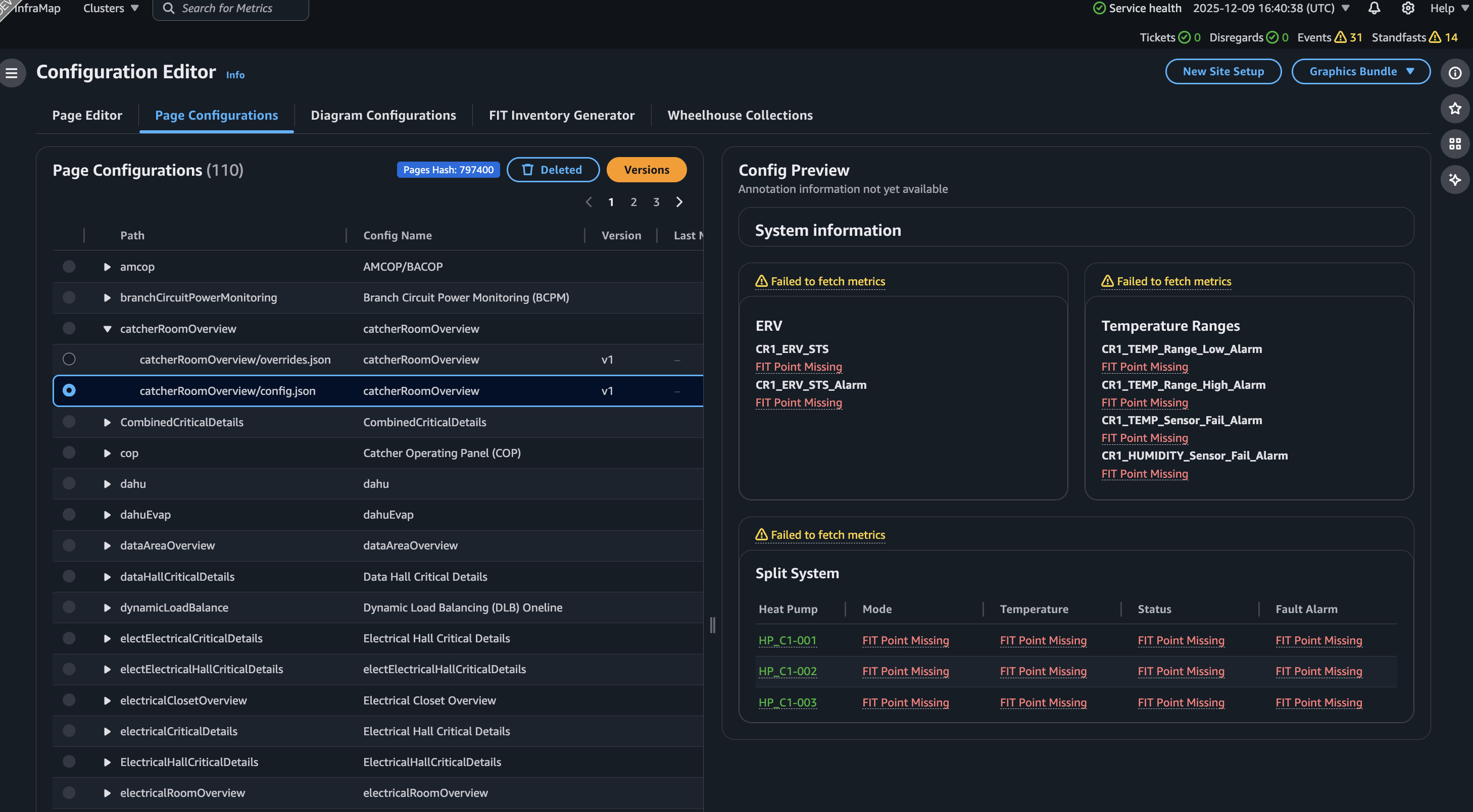
I designed an in-browser editor for the configuration workflow: selecting widget types, adding metrics, defining query behavior, previewing the result, checking whether queried metrics were receiving data, and working with equipment-specific configurations.
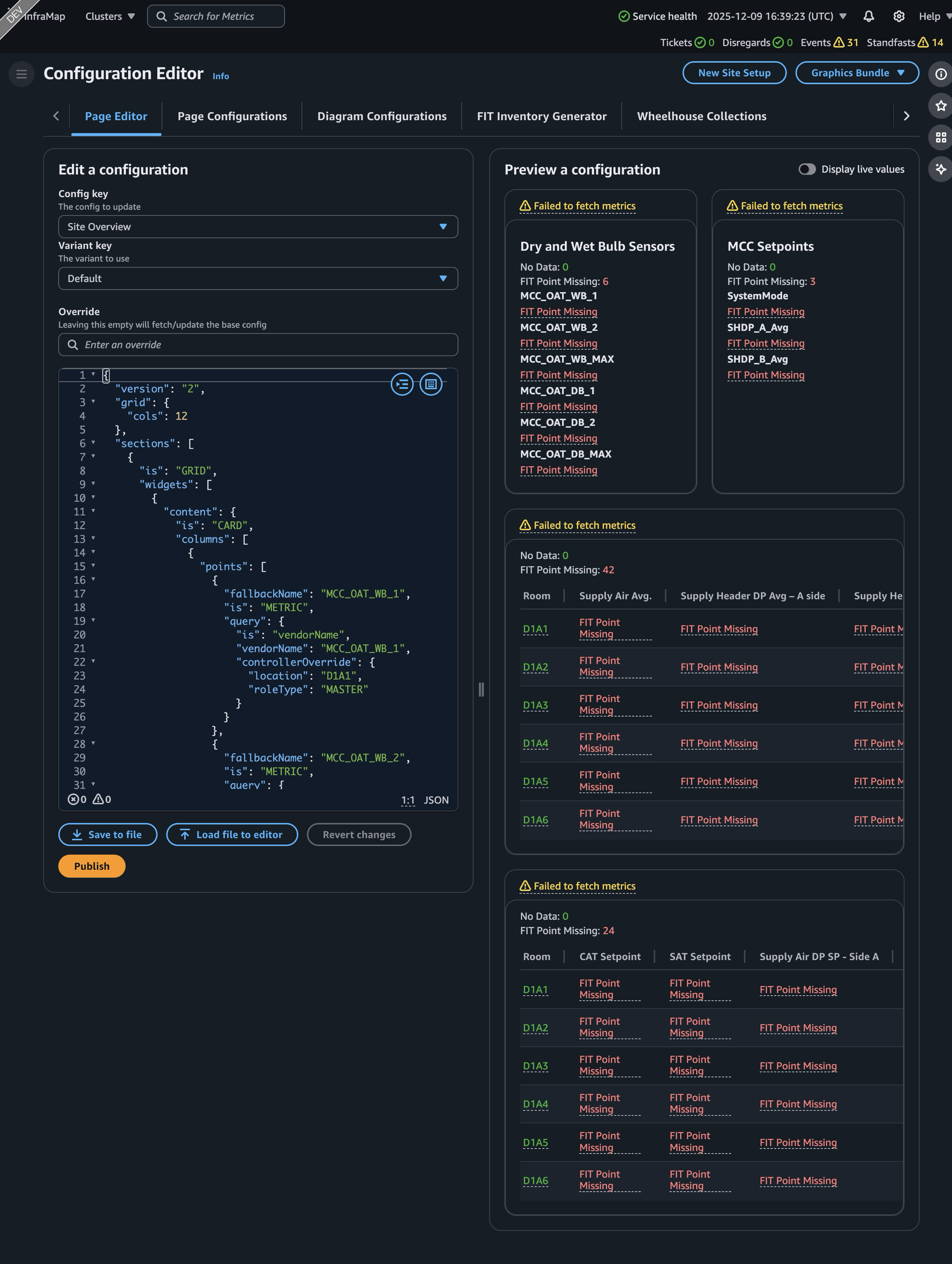
From raw JSON, through a nested tree, to a flat grid.
We explored the editor through Figma mockups and design reviews. An early approach used a deeply nested tree that mirrored the configuration hierarchy, but it was hard to read and obscured how parents related to their descendants. I moved toward a flatter, grid-based layout that reduced nesting and simplified how layouts were represented and rendered.
config.jsonJSON{ "version": "2", "grid": { "cols": 12 }, "sections": [ { "is": "GRID", "widgets": [ { "content": { "is": "CARD", "columns": [ { "points": [ { "fallbackName": "MCC_OAT_WB_1", "is": "METRIC", "query": { "is": "vendorName", "vendorName": "MCC_OAT_WB_1", "controllerOverride": { … }
I limited nested grids to two levels to avoid uncontrolled nesting and layout complexity. This was an engineering and design assumption, not a limit established through formal user validation.
Users work with the resulting configuration without needing to understand JSON patch details. The editor creates the patch and surfaces whether an override is in use.
Every page in one library, with overrides beside their base.
A more extensible foundation for future equipment interfaces.
V2 consolidated substantial amounts of duplicated implementation logic into a shared library used by the cloud and local applications. Smaller configuration files and per-widget data retrieval produced noticeable loading improvements during development.
The architecture could be extended with new querying methods, metric transformations, and widget types. The configuration editor gave commissioning teams a way to configure interfaces without editing raw JSON.
- Separate platform-specific presentation implementations
- Large, increasingly brittle configurations
- Querying coupled to metric definitions
- Manual JSON configuration workflows
- Shared UI framework across cloud and local
- Modular queries and widgets
- Smaller configurations
- Progressive, per-widget data loading
- Configuration editor with previews
Qualitative comparison. No measured percentages are claimed.
Flexibility isn’t the same as simplicity.
MetricOrganizer changed how I think about building software. V1 taught me how quickly an implementation becomes brittle when its abstractions are tied too closely to known requirements. V2 pushed me to separate responsibilities, reduce coupling, and build systems that could evolve independently.
Looking back, flexibility introduced complexity of its own. Our override system became more complicated than it needed to be, which limited more flexible configuration inheritance at broader levels.
I would also consider internationalization and accessibility earlier, using generic tokens instead of embedding presentation-specific values in configuration files. And I would pay more attention to the visibility of metric health. An interface can display large amounts of telemetry and still fail to draw attention to problems that aren’t immediately obvious.
Design for unknown requirements
Avoid abstractions overly coupled to current assumptions.
Make complexity intentional
Flexibility should not come at the cost of clarity.
Design beyond implementation
Accessibility, internationalization, and operational visibility deserve early consideration.
A well-designed system isn’t simply one that can support more functionality. It also needs to remain understandable, adaptable, and usable as its requirements evolve.